 logo

With the rapid growth of technology, smartphones have become versatile devices that cater to various needs, including online search and shopping, accessing social media, and utilizing multiple apps for entertainment and productivity. In fact, today’s users do so much on their smartphones that actually communicating on them beyond texting or sharing updates to social media suggests calling them phones is a misnomer.
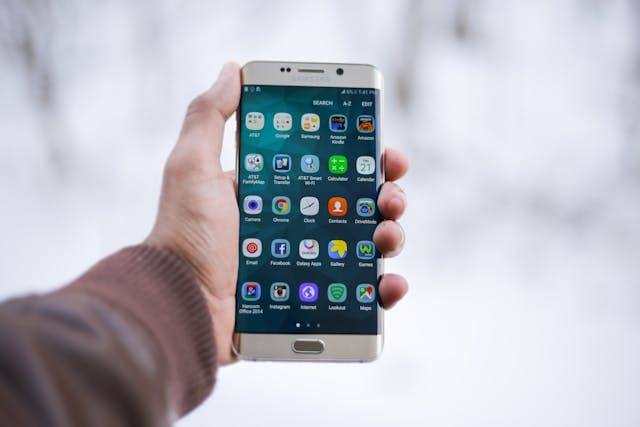
One such feature on smartphones is Near-field Communication (NFC), which enables devices to establish communication simply by bringing them in close proximity with permission. While this technology has numerous applications, one popular usage is scanning NFC tags. Marketers can use these tags, when enabled by users, to share product information and other marketing communication when consumers are nearby.
NFC tags are small integrated circuits embedded within stickers or other mediums. Like beacons, they contain stored information that devices can read using NFC technology. By scanning these tags, users can perform various tasks and access relevant data instantly. Let’s explore how to scan NFC tag and what possibilities they offer.
Understanding the basics
Before diving into how to scan NFC tags, it’s vital to grasp the basics of how they work. Simply put, NFC is a short-range wireless communication protocol. It allows communication between two electronic devices when brought within a few centimeters of each other. The technology facilitates secure data exchange and lets you interact seamlessly with compatible devices or objects.
Scanning NFC tags
Step 1: Check for compatibility
First, ensure your device is equipped with an NFC reader. Most modern smartphones have this capability built-in, but it’s always good to double-check in case your device needs an external app or accessory support for scanning.
Step 2: Enable NFC on your device>
Go to your device settings and look for the sections related to connectivity or wireless settings. Find the option for NFC and enable it if not already enabled.
Step 3: Prepare the tag
Make sure the tag you want to scan is placed nearby and accessible for your device.
Step 4: Unlock your device
If your device is locked or has a security measure like a PIN or biometrics (fingerprint or facial recognition), unlock it before attempting to scan an NFC tag.
Step 5: Scan the tag
Open any app or feature that supports reading NFC tags on your smartphone. This might be a dedicated NFC scanning app or built-in functionality within an app like the camera, settings, or Google Pay. Hold the back of your device close to the tag without touching it for a few seconds until you receive a notification or prompt.
Step 6: Interact with the tag’s content
Once your device registers the NFC tag, it will present you with relevant options or display the information stored in the tag. You may tap on these options to perform actions like opening websites, launching apps, making payments, sharing contact information, or connecting to Wi-Fi networks.
Popular applications and use cases
Now that you understand how to scan NFC tags, let’s take a look at some popular applications and use cases for them:
1. Mobile payments
FC technology allows users to make contactless payments using their smartphones. By simply waving or tapping their phones against payment terminals enabled with NFC readers, they can complete transactions securely and swiftly. This technology is widely used in mobile payment services like Apple Pay and Google Pay, which are increasingly popular among shoppers. Never lose a sale because your customer doesn’t have their credit card handy.
2. Smart home integration
Many smart home devices have embraced NFC technology to enhance convenience and user experience. With NFC tags placed strategically around your home, you can automate tasks by scanning them with your smartphone. For example, scanning an NFC tag near an entrance could turn on lights, adjust temperature settings, and play your favorite music.
3. Marketing and advertising
Businesses often use NFC tags as marketing tools to provide consumers with additional product information or promotions by simply scanning tags on product packages or at specific locations. These tags enable brands to engage customers effectively while providing valuable details such as discounts, release notes, reviews, or exclusive content offerings.
4. Payment cards and transportation passes
Replacing traditional credit cards and transportation passes is another application of NFC technology. Contactless payment relies on the tap-and-go functionality offered by NFC capabilities.
Wrapping up
NFC technology and its use in scanning NFC tags have opened up new realms of possibilities for smartphone users. From making contactless payments to automating smart homes and enabling interactive marketing experiences, NFC tags have become an integral part of our digital lives. As you explore the world of NFC tags, get creative and think about how this technology can simplify your day-to-day activities with just a tap!
Just remember to double-check your device’s compatibility, enable NFC settings, and start exploring the endless uses waiting right at your fingertips. The future is here with expansive opportunities—compliments of NFC technology!
Need marketing help to support business growth?
We welcome the opportunity to show you how we can make your marketing SIZZLE with our data-driven, results-oriented marketing strategies. Sign up for our FREE newsletter, get our FREE guide to creating an awesome website, or contact us for more information on hiring us.
Hausman and Associates, the publisher of MKT Maven, is a full-service marketing agency operating at the intersection of marketing and digital media. Check out our full range of services.
Discover more from MKT Maven
Subscribe to get the latest posts sent to your email.


