 logo

While not as common as during the pandemic, many workers still find themselves working from home at least part of the time. Meanwhile, entrepreneurs may find learning how to set up a home office with the right tools saves money and improves productivity. Whatever the rationale for your home office, creating a space that works for your particular needs means you waste less time and feel more in control of your environment. It is also an essential factor in one’s level of productivity. Here are some helpful tips and recommendations for setting up your ultimate home workspace.

How to set up a home office
Sure, you could do what the guy in the image did. He turned a corner of his living room into a home office by setting his laptop on the tray of his child’s highchair with a blank wall behind him. He didn’t even bother to change out of his pajamas, except above the waist. That works until he needs to stand up and he shows his pajamas to the rest of the team or needs to print something out. It also means he can lose his equipment if older kids come barreling through the living room, knocking off its precarious perch. He’s also forced to quit working or find another space when the family needs the sofa or highchair for its intended purpose. Inevitably, productivity plummets in such a setting, and it’s hard to generate much trust when you’re obviously juggling home and work elements.
During the pandemic, most of us made do with whatever we could manage, and those we worked with understood because they were in the same boat. Not so today, when employers are starting to demand that workers return to work on a full-time or part-time basis rather than work from home every day. Plus, working in these makeshift areas takes away from your creativity, limits your access to the tools you need to do your work effectively, and disrupts family life.
What you need to set up a home office
Let’s start our discussion today by using this checklist to determine what you need to set up a home office.
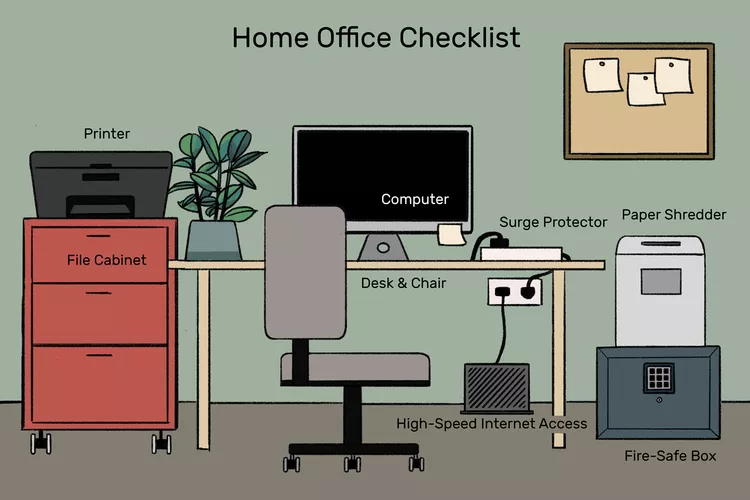
It may seem like you need a lot of stuff, but you don’t have to spend a fortune setting up a home office that’s comfortable and functional. You can easily find many of these elements in a second-hand store or cast off from schools. Every year, my university auctions off equipment and furniture it no longer needs, so that’s a good source for finding what you need. Many tech companies offer a buy-no-pay-later option that allows you to break the purchase price down into easier-to-afford chunks. Most don’t charge for this service unless your repayment goes beyond a specified period, such as 12 months.
Let’s go over these elements in more detail in the next section.
Choosing a proper location
First and foremost, select a home office location. Find one that is quiet and with minimal distractions. Ideally, it should be separate from your living areas so you can draw boundaries between work and personal life. It’s nice to have a door to exclude others in the house and their noise so you aren’t distracted. Also, closing the door tells everyone else that you’re working. Even small children can learn to leave you alone to work.
Second, consider natural light; a room with windows will uplift your mood and raise your productivity. If you are short on space, a tiny nook or even a corner of your bedroom can be an efficient home office if you can keep it organized and distraction-free. When I was working on my PhD, I used an oversized walk-in closet off the bedroom as my home office so I could work after the kids were in bed. It wasn’t ideal and wouldn’t work if you are claustrophobic, but it was the best I could manage.
Ergonomic furniture
Comfortable and ergonomic furniture is required for long hours of work. First, a suitable desk and chair are in order. Having an adjustable desk allows switching between sitting and standing, which may make you stand straight and not be as tired. The chair should also provide proper lumbar support and must have adjustments to ensure an appropriate setting based on your body type. If you can only invest in one good piece of furniture for your home office, a good chair is the obvious choice.
Most people can’t work with a lot of clutter, so having drawers and filing cabinets on your desk or separate is a huge time saver. That way, you aren’t constantly searching for the documents you need or remembering where you put the stapler. Seek desks with built-in storage or invest in shelving units for supplies.
A caveat is needed here. You can only organize if you’re committed to keeping your workspace organized. Invest in file folders and a labeler to keep everything ordered. Spend a few minutes at the end of the day reorganizing and returning anything you worked on during the day to its proper place. Throw away anything you don’t need anymore.
Must-have technology
The kind of technology that one uses can make or break your productivity. Below are outlined some essential items that help with that:
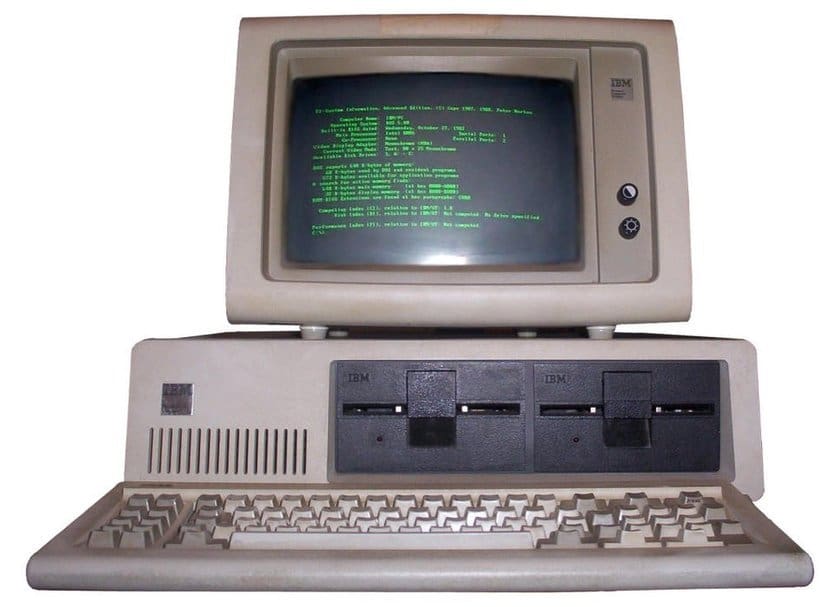
- First, choose a computer for your use. This could be a desktop or laptop computer. Ensure the processing and memory are sufficient to ensure smooth performance. You must also consider larger screens, where an external monitor can enhance your work experience, primarily when you work with a lot of applications. You might want to have dual monitors. It’s a good idea to invest in modern technology rather than settling for whatever’s cheapest. Time is money and you lose productivity quickly when you’re forced to wait for the computer to process a command.

- Meanwhile, a stable internet connection is one of the most essential things in practical remote work. If possible, use a fiber-optic connection to ensure speed and stability in your internet connection.
- While a printer isn’t as essential today as it once was since you can store and share documents in the cloud and fax from your computer, you still need one in some situations. A color printer isn’t much more expensive, so I would invest in one.
- A smartphone is an essential device in the modern world. You may find you get along nicely by using your personal smartphone, or you may find you need a dedicated phone for your work.
Communication tools
Communication is the key to working remotely. You might want to invest in tools that help you collaborate or work with people. Invest in video conferencing software such as Zoom and Microsoft Teams to enable face-to-face interactions. Ensure that your webcam and microphone are good enough to communicate your message clearly. You could also use project management tools like Trello or Asana to organize your tasks and communicate more effectively with your team.
Depending on the nature of your business, you may need specialized tools such as a directional microphone, lighting baffles, a video camera, a tripod, and more, as video content and podcasting is becoming increasingly crucial for businesses today.
Organizational supplies
A well-organized workspace can also improve efficiency and lower stress levels. You may want to invest in the following organizational supplies.
- First, use a filing cabinet, folders, or digital filing system to store your important documents in an organized manner that allows for easy access.
- Second, you will need a paper shredder to discard documents that are no longer required, especially if you handle sensitive materials.
- Desk organizers can help keep pens, paper clips, and other small supplies tidy and within reach.
- Last but not least, notebooks for jotting down ideas and sticky notes for reminders may help you stay organized.
Lighting
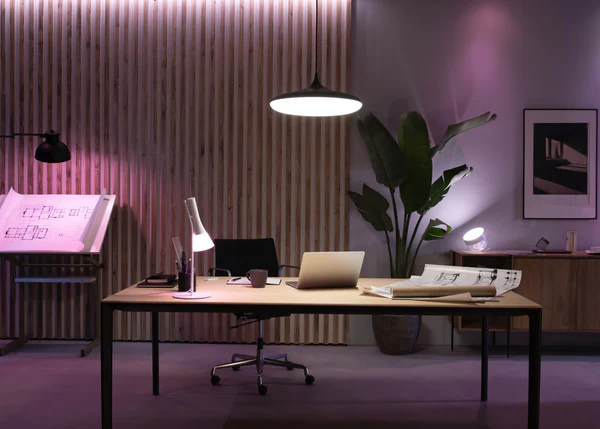
Good lighting is essential for comfort while working. If natural light is impossible to afford or you find an unblocked window distracting (mine sends sunlight straight into my eyes and causes glare on my screen), invest in good lighting solutions. A desk lamp with dimming features helps reduce eye strain during late-night work sessions. Find LED bulbs with light similar to that of natural light so your workspace stays bright and inviting.
Personal touches
While functionality is crucial, adding personal touches to your home office makes it more attractive. Add artwork, plants, or other things important to you to make your space truly yours. Plants not only beautify the work area but can also help with air purification and further mood influences.
Comfort and wellbeing
Remember comfort and well-being in your home office. Consider the desk mat for comfort while typing; it could add some color to your workspace. A variable footrest could help with posture and comfort while at your desk, maybe if the chair is a bit too high. Noise-canceling headphones will be of great help in establishing focus in environments that you consider too loud.
Setting up a routine
Setting up a routine is vital in a home office to keep productivity going. You must set aside specific working hours, just like in an office, and adhere to them. You could also schedule breaks to get up and stretch, walk a bit, or have some energy-giving snacks. Also, a clearly defined end-of-day ritual helps transition back into personal time and thwarts burnout.
Data security
Security in the home office involves considering equipment and data security. Therefore, a good antivirus should be purchased to keep malware and other cyber threats at bay. Sensitive documents are better kept out of reach, both physically and digitally. A secure password manager helps with online account safety.
Conclusion
Setting up a home office requires carefully planned consideration of your particular needs. You can achieve both productivity and health by choosing an ideal location, using good furniture and technology, and keeping your workspace neat and comfortable. Add a little bit of personality and daily routine, and you’ll love working from the comfort of your home. These tips will get you fully prepared to work efficiently and effectively.
Need marketing help to support business growth?
We welcome the opportunity to show you how we can make your marketing SIZZLE with our data-driven, results-oriented marketing strategies. Sign up for our FREE newsletter, get our FREE guide to creating an awesome website, or contact us for more information on hiring us.
Hausman and Associates, the publisher of MKT Maven, is a full-service marketing agency operating at the intersection of marketing and digital media. Check out our full range of services.
Discover more from MKT Maven
Subscribe to get the latest posts sent to your email.


