 logo

Must-know tips for effectively using AI voice for creative content
To optimize AI voice options for creating appealing and engaging videos that are suitable for sharing, it’s crucial to follow a few key tips. First, familiarize yourself with various speech synthesis technologies and their capabilities to find one that aligns with your project’s needs. Second, experiment with different voice styles, tones, and accents that will resonate with your target market based on the personas you constructed. Additionally, fine-tuning audio codecs and settings will help ensure the best quality output that remains compatible with your chosen sharing platforms, such as social media or video hosting sites like YouTube. By applying these techniques, you can enhance the overall impact of your videos and improve viewer engagement, ultimately generating the results you want from your video campaigns.
Implementing these tips will improve the quality of your audio and make your videos more captivating and shareable.
1. Understand your video content message
To achieve natural voices when creating high-quality audio, it’s crucial to understand your intended message clearly, then craft a script that conveys that message to your intended viewer. Begin by identifying the specific target market(s) you want to engage with for each particular video, and then incorporate voices and messaging into the script that match their lifestyle, demographics, geography, and stage in the decision-making process. Consider the type of information and emotional responses you want to evoke through your content, remembering that emotions are more potent motivators than information and reasoning.
Use this foundational understanding of your target market preferences to guide you in selecting the most appropriate and effective voice option. For instance, if your product demonstration video is designed for a professional audience, such as business executives, you might want to avoid using playful or cartoonish voices, as they may undermine the seriousness and credibility of the presentation. Instead, opt for a more professional and authoritative voice that aligns with the expectations of your intended viewers.
2. Choose an appropriate voice option
Selecting the right voice option is crucial for enhancing viewer engagement with your content and brand. To achieve the best results, carefully evaluate the voice’s tone, pitch, and speed to determine the best fit as well. This ensures that the voice aligns perfectly with the intended message and audience engagement. A well-chosen voice option not only elevates your video production process but also improves viewer retention and overall impact. Consider experimenting with different voice styles to find the most effective match for your project.
3. Test various voice filters
To achieve the most natural and harmonious voice audio for your content, experimenting with multiple voice filters can help you find just the right voice to reach your marketing goals. By applying your selected voice filter during real-time video settings, you can quickly identify any issues or inconsistencies in your audio. This proactive approach allows you to refine your audio quality and select the voice filter that best matches your content’s tone and audience preferences, ultimately enhancing the overall viewer experience.
4. Adjust voice settings
When creating content, it is crucial to invest time in adjusting the voice parameters of your chosen AI voice to ensure that your outputs are both appealing and attention-grabbing. For instance, Pippit, powered by CapCut, offers a user-friendly platform where you can modify various voice parameters, including voice speed, pitch, tone, and volume. By carefully fine-tuning these settings, you can create highly engaging listening experiences that captivate your audience’s attention and enhance overall engagement.
5. Reduce unnecessary noise
To achieve the best audio quality regardless of your chosen voice, it is essential to reduce or eliminate unnecessary noise from your input audio. The “Reduce Noise” feature at Pippit, powered by CapCut’s free AI video generator, can significantly improve your audio clarity, thereby enhancing your sound quality. This tool is designed to help you not only improve your video’s audio but also optimize viewer engagement and reach a larger audience effectively. Take advantage of the resources available to elevate your videos and connect with more customers than ever before.
6. Pick an AR-powered tool
The final tip is to choose a high-quality, AI-powered tool to help you with your video editing process. By choosing the best AI-powered tool that fits your needs, you ensure that your final video outputs offer superior quality and results in natural voices that match those viewed positively by your target market. This makes them ready for sharing across your chosen platforms, such as Instagram Reels or TikTok.
A highly recommended option to consider is Pippit, which is powered by CapCut. This innovative editor utilizes advanced AI technology to streamline your editing experience, offering a variety of AI-generated voices that effortlessly meet diverse video content needs. To assist you further, here’s an intuitive guide that will help you customize your videos with AI voices in just a few seconds using this powerful editor.
Step-by-step guide to making engaging videos with AI natural voices
Pippit, powered by CapCut, is designed to provide you with a high-quality and streamlined solution for tailoring your video with diverse AI voices. The first step is to go to the Pippit tool on CapCut’s website and create your account by clicking the “Start for free” button. Then, all you need to do is go through the steps below:
Step 1: Navigate to the video generator
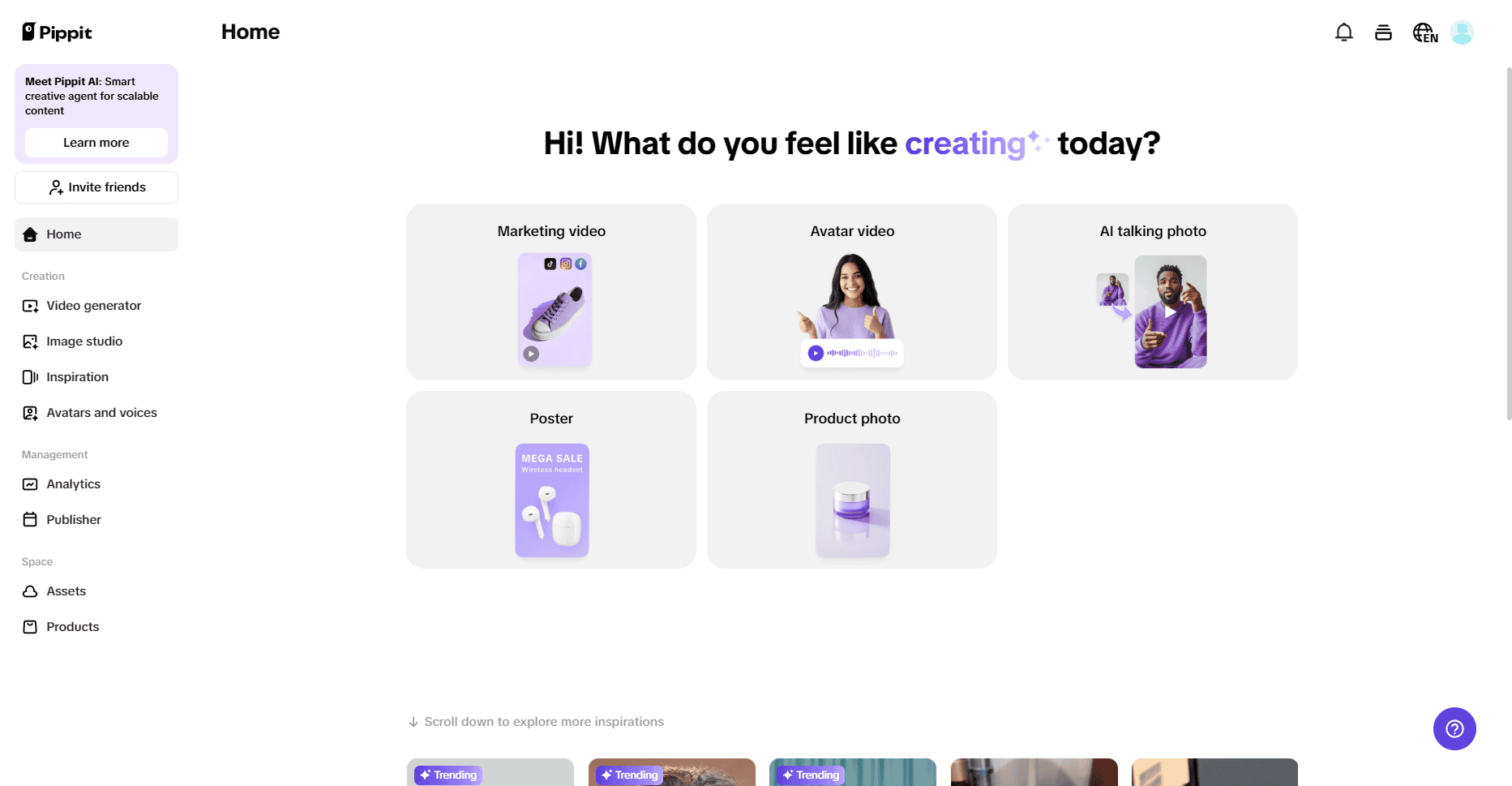
When you come to the main interface of CapCut’s Pippit, choose “Video generator” and click on the button “Video editor.” You will be directed to the main interface for online video editing.
 Step 2: Create your video with AI voice

Choose the “Media” option to upload your media files as the first step in crafting your AI-powered videos. There are different ways to upload your media files, including using your local browser, uploading from your phone, or dragging and dropping your files from your computer or tablet. After that, select your uploaded audio and click the “Voice Changer” option. Here, choose your dream voice filter that perfectly matches your audio content. You can also adjust other aspects of your video, such as using the AI voice generator text to speech to convert text to speech in seconds or insert stickers and animation effects to shine your video creativity to a new height.

Step 3: Download or publish
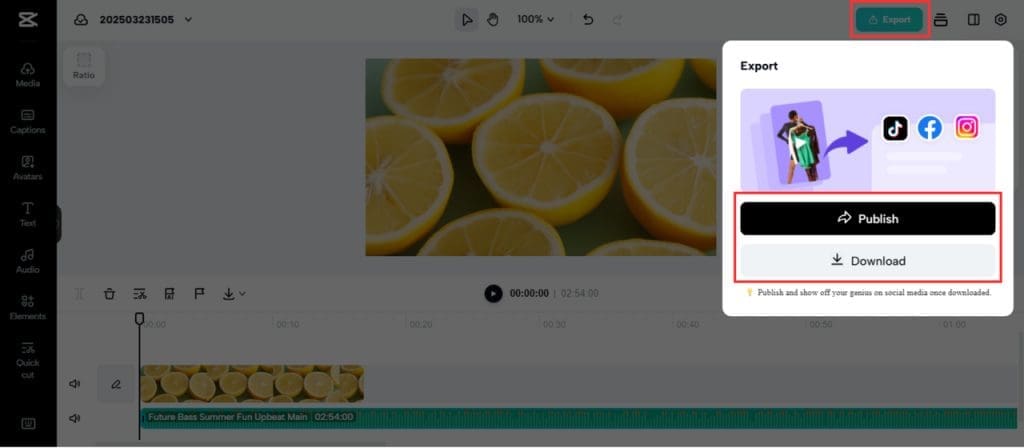
Tailor every detail in your video to a perfect level and choose the “Export” button. Here, feel free to choose whether to “Download” or “Publish” your video with adjusted settings and options.
Conclusion
To tailor natural voices using an AI-powered video generator, follow these optimization tips:
- Understand your content
- Select a harmonious voice filter
- Test different voice options
- Reduce unnecessary noise
- Choose a powerful tool to achieve the best results.
If you think you need a tailored, AI-driven tool to enhance your audio experience, look no further than Pippit, powered by CapCut. Unlock a wide array of AI voice filters that will elevate your creative videos to unprecedented heights. Plus, explore additional AI tools like animations, effects, and a cutting-edge AI caption generator to create accurate and engaging captions effortlessly.
Don’t miss out on transforming your shoppable videos with captivating AI voices. Try Pippit, powered by CapCut, today for free and watch your audio content shine!
Need marketing help to support business growth?
We welcome the opportunity to show you how we can make your marketing SIZZLE with our data-driven, results-oriented marketing strategies. Sign up for our FREE newsletter, get our FREE guide to creating an awesome website, or contact us for more information on hiring us.
Hausman and Associates, the publisher of MKT Maven, is a full-service marketing agency operating at the intersection of marketing and digital media. Check out our full range of services.
Discover more from MKT Maven
Subscribe to get the latest posts sent to your email.


