 logo

Cloud storage is more popular than ever. With the rise in remote work, outsourcing critical functions to third-party providers, the need for data sharing wrought by an increased emphasis on digital everything, and structural changes within organizations that favor interdepartmental collaborations, the need for storing information where it can be easily accessed grows almost daily.

Cloud storage takes data that would have once been stored on physical servers within an organization and stores that information on a collection of servers connected to the Internet so anyone with authorized access can use the information to streamline their jobs, which improves efficiency and lowers costs. A company no longer silos information where only those connected to the server have access to allow more ubiquitous access. An organization simply uploads all shared data to the cloud, allowing access by multiple users in any location as long as they have privileges to access that information.
Information is parsed so that only those authorized have access to specific pieces of data, which limits access to users with a legitimate need for a particular piece of information. Thus, a firm’s financial records are accessible to those employed in the C-suite and finance. At the same time, those in production, for instance, might only have access to specific pieces of information that directly relate to their function. Ensuring secure cloud storage is essential for this system to work without causing harm.
Unfortunately, data in the cloud requires strong protection to avoid unauthorized access to sensitive information that might damage the company and its reputation or unmask its strategy to competitors. Despite this, over nine in ten organizations use cloud storage to store at least some types of data. Cloud storage allows companies to access critical data remotely to allow improved functionality and collaboration while prioritizing data security through actions, such as encryption.
Here are some of the best cloud storage strategies.
Secure cloud storage
The dangers of cloud storage are many, which emphasizes the need for secure cloud storage to avoid potential harms such as the ones below:
- data loss
- insertion of malware into your remote and local servers that can hamper your operation
- unauthorized access by anyone from the competition to hackers bent on causing you harm
- account hijacking, where an unauthorized party takes over your account and denies access to authorized users, resulting in inaccurate information being used in critical corporate functions
- DDoS — distributed denial of service, which can temporarily cause your system to crash and/or deny service to legitimate users
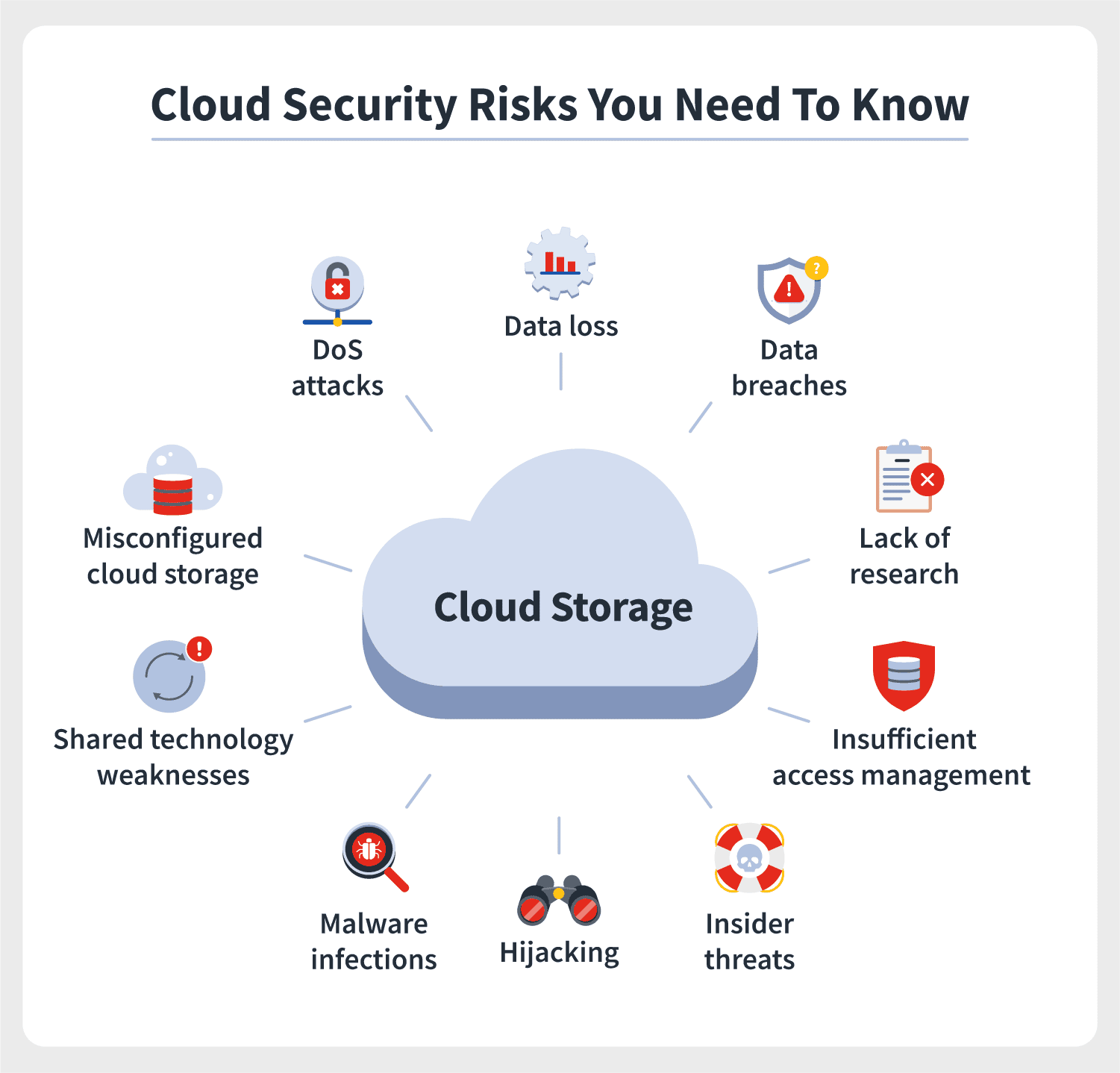
Wanna know how prevalent these threats are to secure cloud storage? Take a look at some stats from Station X:
- In 2023, 82% of data breaches involved data stored in the cloud.
- According to Crowdstrike, total cloud environment intrusions increased by 75% from 2022 to 2023.
- 98% of organizations have a relationship with a vendor that experienced a data breach within the last two years.
- 39% of businesses experienced a data breach in their cloud environment in 2023, up from 35% in 2022.
How to secure cloud storage accounts
Create local backups
Set a schedule to create local backups of your data in the cloud. A local backup can restore lost information if data gets corrupted or accidentally deleted. Cloud storage users can always use tools like external hard drives to have a backup ready.
A local backup protects your data from DDoS, corruption, ransomware, and certain other types of threats but does nothing to protect you from a data breach or malware.
Use application programming interfaces (APIs)
APIs connect to cloud services and provide insights into different aspects of cloud activity. Companies can understand who’s accessing data with an API, when it’s being accessed, and where it’s being downloaded or shared. Again, this won’t protect from threats and is more like closing the barn door after the horse escaped, but it might help bring those responsible to justice and, thereby, limit their ability to inflict harm on your company.
Employ firewalls
Cloud storage uses firewalls to protect your data. Firewalls regulate network traffic. They filter out suspicious traffic while keeping your data secure. With firewalls in play, it becomes harder to insert malware or viruses on your data or on local systems.
Train employees on cloud security
Nearly a quarter of all data breaches are caused by human error, such as phishing (when an authorized user shares information necessary to access your cloud storage with an unauthorized user). Ensure your employees are trained in essential cybersecurity, such as changing passwords frequently, not sharing passwords, and reporting attempts to collect credentials to the appropriate person in your organization. This is fundamental to maintaining your entire cloud storage infrastructure as it limits access to authorized users and shares attempts to trick users into unauthorized sharing by informing them of the threat.
Remain fully compliant with regulations
Specific industries have strong regulations on storing, managing, and securing data. If there are government or industry standards to follow, these often provide further guidance on what kind of cloud storage security you should have.
Encrypt as much of your data as you can
Encrypt your data. This is a must if nothing else. Encrypting all your data in the cloud ensures that anyone accessing it without the decryption key can’t read it. It is ideal to encrypt your data before uploading it to the cloud.
Do not store sensitive data in the cloud
If possible, avoid placing sensitive data in the cloud. Most organizations need help to afford this—however, those who can should consider it. Consider a hyper-secure local server if data could seriously damage your organization. For instance, universities commonly don’t store grade information in the cloud to limit the ability of hackers to change grades. Instead, they store this information on local servers and then move it to the cloud during grade submission to allow faculty easy access to upload grades. The same process is necessary when students request transcripts. While students can view their grades at any time, grades can’t be altered by even faculty as these are merely copies of data stored locally.
Secure all connected devices with anti-malware tools
Remote access is an attractive penetration point for hackers. 39% of organizations have experienced a security compromise caused by poor security of employee mobile devices. Where possible, ensure all connected devices are secure and equipped with strong anti-malware tools.
Require Strong Passwords for All Users
Passwords are a nuisance, but it’s absolutely essential to ensure your employees use strong and unique passwords for cloud storage access. Remember that easy-to-remember passwords are the easiest to hack. For instance, an eight-character password can be cracked in just 4 seconds (as of 2023, and that time will decrease over time), even when it uses a combination of letters, numbers, and symbols. Encourage users to create a password that is only used for cloud storage.
In addition, consider setting up a schedule for employees to change their passwords.
Employ multi-factor authentication
To minimize password concerns, users should be required to have a code sent to their phones or computers in addition to entering the correct password. Microsoft’s recent report suggests that MFA stops 99.9% of automated hacking attempts.
Apply access controls
Control what your users can do and see in your cloud. Employees need access to only some things in cloud storage. Limit exposure. Limit access based on need and position. Rigid access controls further protect your data.
Monitor your cloud storage environment
The average organization registers 12 incidents of unauthorized cloud access every month. Carefully monitor your cloud storage. You can act on it in real-time if you notice unauthorized access or suspicious behavior.
Periodically audit your security features.
Never assume your cloud storage provider is providing all the security you need. Security can decay over time and diminish, especially if cloud storage services need updating regularly. Conduct periodic audits to test whether your security systems are in place and working as they should.
Always update when there is an update available
Be consistent with security updates. You can use these tools to protect your cloud storage from viruses and malware. The third party overseeing your server may automatically perform many of these updates.
Choose the right cloud storage provider
Each cloud storage provider offers different services and cloud security. Look for a service with state-of-the-art security, file-level encryption, and advanced credential management tools.
Conclusion
Using cloud storage greatly benefits your organization but secure cloud storage is essential if you want to enjoy these benefits without endangering your organization.
Need marketing help to support business growth?
We welcome the opportunity to show you how we can make your marketing SIZZLE with our data-driven, results-oriented marketing strategies. Sign up for our FREE newsletter, get our FREE guide to creating an awesome website, or contact us for more information on hiring us.
Hausman and Associates, the publisher of MKT Maven, is a full-service marketing agency operating at the intersection of marketing and digital media. Check out our full range of services.
Discover more from MKT Maven
Subscribe to get the latest posts sent to your email.


